Trading Card Database
This was a database and pricing system I built for a trading card business. It started with messy exported sales data and turned into a setup that made it a lot easier to track inventory, clean up intake, and actually look at pricing history instead of guessing.
The original sales data was messy in a very real way. A lot of the useful card info was jammed into one text field with no consistent format. Player name, set, serial number, grade, grading company, and sometimes even sale price were all mixed together depending on how somebody entered it.
That meant you really couldn't sort by player, filter by grade, or compare prices across similar cards in a reliable way. You had to read the raw text every time and piece it together yourself, which is fine for a handful of records but not for a growing inventory.
These are the actual before-and-after screenshots from the cleanup process. Same data, but way more usable once the fields were split out and standardized:
| # | Product | Sale |
|---|---|---|
| 4 | [Seller A] - Kyler R&S Silver Patch /399 | $3.00 |
| 5 | [Seller A] - Stroud Season Ticket Mojo | $15.00 |
| 6 | [Seller A] - Isaiah Spiller NT RPA /99 | $6.00 |
| 7 | [Seller B] - Achane Optic Holo RR | 7 |
| 8 | [Seller A] - Josh Allen Field Vision Donruss Elite Blue /25 | $16 |
| 9 | [Seller A] - Drake London Prizm Break No Huddle | $7.00 |
| 10 | [Seller A] - Malik Willis Optic Illusion Black Scope RC /25 | $14.00 |
| 11 | [Seller A] - Cousins Prizm Blue Ice /99 | $5.00 |
| 12 | [Seller A] - Rashad White Obsidian //35 | $7 |
| 13 | [Seller B] - Mahomes Optic Holo Play Action | $5.00 |
| 14 | [Seller A] - DHop Blue Prizm Building Blocks RC PSA 10 | $21.00 |
| 15 | [Seller A] - Olave Select White Rookie Patch | $15.00 |
| 16 | [Seller A] - K9 Impeccable Auto /49 | $25 |
| 17 | [Seller A] - Moody Honeycomb Mosaic RC | $14.00 |
| 18 | [Seller B] - Waddle Prizm Silver RC | $13.00 |
| 19 | [Seller A] - Kamara Prizm Silver RC PSA 9 | $21.00 |
| 20 | [Seller A] - Rodgers Obsidian Equinox /25 | 16 |
| 21 | [Seller A] - Stroud Wild Card Comix RC | $13.00 |
| 22 | [Seller B] - Achane Prizm Silver Variation RC PSA 10 | $44.00 |
| Seller | Player | Card | SoldFor | Grader | Grade | DateSold | OutOf |
|---|---|---|---|---|---|---|---|
| Seller A | Anthony Davis | Maestro | $26.00 | PSA | 9 | 2023-02-03 | 25 |
| Seller A | AJ Brown | Gold Shimmer | $115.00 | PSA | 9 | 2023-02-03 | |
| Seller A | Anthony Edwards | Frequent Flyers | $80.00 | PSA | 10 | 2023-02-03 | |
| Seller A | Anthony Edwards | King of Cards | $52.00 | PSA | 10 | 2023-02-03 | |
| Seller A | Anthony Edwards | Rev RC | $34.00 | PSA | 9 | 2023-02-03 | |
| Seller A | Anthony Edwards | Rookie Selection | $69.00 | PSA | 10 | 2023-02-03 | |
| Seller A | Bol Bol | Orange Ice | $25.00 | BGS | 9.5 | 2023-02-03 | |
| Seller A | Bol Bol | RR | $54.00 | BGS | 9.5 | 2023-02-03 | 249 |
| Seller A | Bones Hyland | Work in Progress | $49.00 | PSA | 10 | 2023-02-03 | |
| Seller A | Devin Booker | Silver Crusade | $9.00 | SGC | 9.5 | 2023-02-03 | |
| Seller A | Tom Brady | Bowman DC 2019 | $62.00 | PSA | 9 | 2023-02-03 | |
| Seller A | Tom Brady | Press Proof Premier | $23.00 | SGC | 9.5 | 2023-02-03 | |
| Seller A | LeBron James | Get Out of the Way | $15.00 | PSA | 9 | 2023-02-03 | |
| Seller A | LeBron James | Gold Wave | $440.00 | PSA | 10 | 2023-02-03 | 10 |
| Seller A | LeBron James | Promo RC | $106.00 | PSA | 10 | 2023-02-03 | |
| Seller A | LeBron James | Redemption Special | $74.00 | PSA | 9 | 2023-02-03 | |
| Seller A | Bron/Bosh/Wade/Melo | $120.00 | PSA | 8 | 2023-02-03 | ||
| Seller A | Joe Burrow | DC Red RC | $54.00 | PSA | 9 | 2023-02-03 | |
| Seller A | Joe Burrow | Patch | $100.00 | PSA | 8 | 2023-02-03 | 10 |
Left: everything jammed into one field. Right: separate columns for Seller, Player, Card, SoldFor, Grader, Grade, DateSold, and OutOf.
Once the data was structured, it stopped being just a messy export and started acting like an actual inventory and pricing system. You could look up what was in stock, see what was paid for a card, and compare it against similar sales without digging through raw text.
That sounds basic, but it changes a lot when you're dealing with a lot of cards across different players, sets, parallels, and grades. Instead of relying on memory, you have a clean record to work from, and that makes buy/sell decisions a lot more grounded.
I used Python, Pandas, and a bunch of regular expressions to pull useful fields out of the raw title strings. Some parts were easy to match because they followed patterns, like grading info or serial numbers. Other parts needed lookup rules because the formatting was inconsistent or somebody used a nickname instead of a full name.
For example, something like "LeBron /99 Prizm PSA 10 Sold $320" needed to turn into separate values for player, card, serial number, grader, grade, and sale price. The hard part was dealing with all the variations, like fields showing up in different orders or missing entirely.
It definitely was not a one-pass cleanup. Most of the work was running the parser, checking the output, finding the weird cases it missed, and then tightening the rules until the results were solid enough to trust.
# Parse a sale title into a few fields I cared about most
import re
import pandas as pd

def parse_title(raw_title):
    cleaned = raw_title.strip()
    grade_match = re.search(r'(PSA|BGS|SGC)\s*(\d+(?:\.\d+)?)', cleaned, re.IGNORECASE)
    serial_match = re.search(r'/(\d+)', cleaned)
    price_match = re.search(r'\$(\d+(?:\.\d{2})?)', cleaned)

    return {
        'grader': grade_match.group(1).upper() if grade_match else None,
        'grade': grade_match.group(2) if grade_match else None,
        'serial_number': int(serial_match.group(1)) if serial_match else None,
        'sold_for': float(price_match.group(1)) if price_match else None,
    }

parsed = df['RawTitle'].apply(parse_title).apply(pd.Series)
df = pd.concat([df, parsed], axis=1)
Cleaning up the old data was only half the job. I also needed a way to keep new records clean going forward, because typing card details by hand is slow and that's usually where inconsistencies start creeping back in.
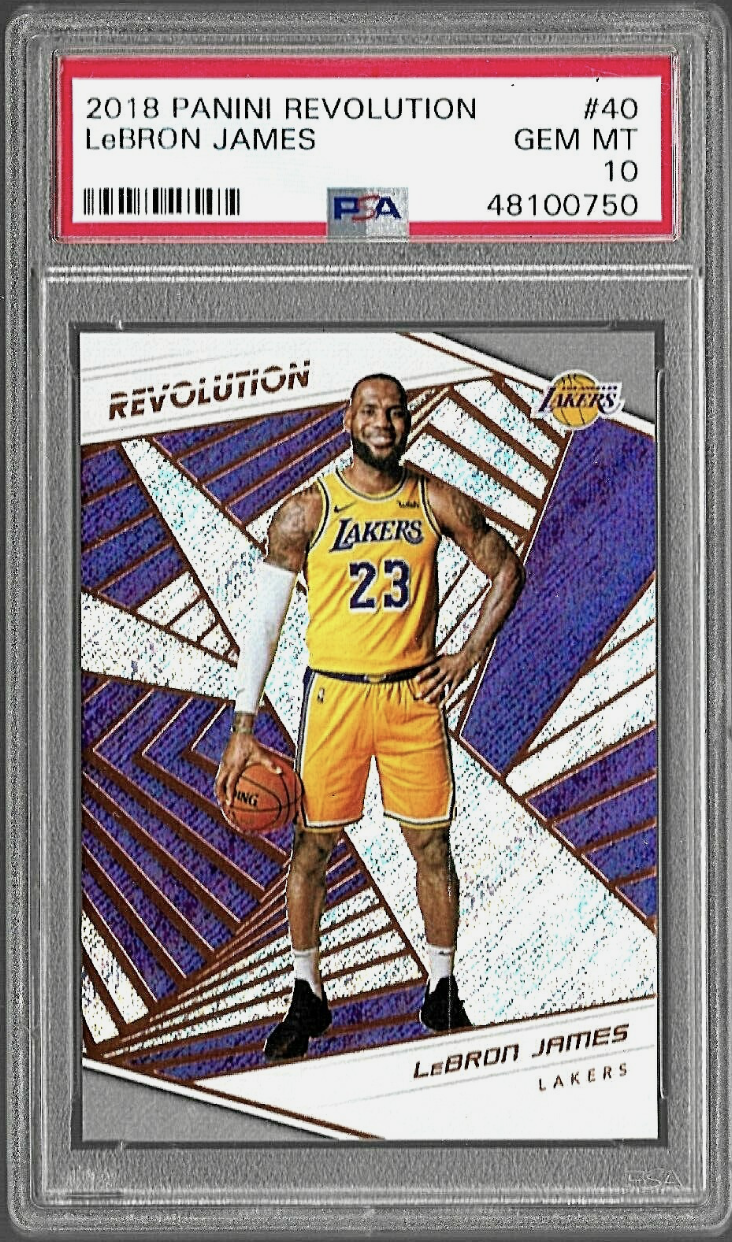
PSA graded cards already have a certification barcode on the slab, so I built a tool around the PSA API. Scan the barcode, pull back the official card details, and drop them right into the intake form. That cut down a lot of manual entry and made the data more consistent from the start.
I also bought barcode scanners for the team, so the intake workflow looked like this:
The biggest win here was consistency. If the card came from PSA, the naming and grade info came straight from their records instead of depending on how somebody typed it in.
After cleaning everything up, I moved the inventory into Google BigQuery. SQLite worked fine while I was building and testing things, but it made more sense to put the shared dataset somewhere the team could query without passing files around.
Once the data was in BigQuery, it got a lot easier to answer normal business questions across the full inventory. Things like average sale price for a certain player and grade, or which cards had moved up the most since they were bought, went from being annoying to pretty straightforward.
The historical pricing side mattered too. Instead of going mostly off instinct, you could look at real sales over time and get a better read on whether a card looked underpriced, overpriced, or probably worth holding.
Here's a simple example of what that looked like in practice. This is sample data, but it shows the kind of view I wanted: buy price, market movement, and what happened by the time the card sold.
Sample data for illustration: purchase price, market movement, and final sale over a 10-month hold.